AI decorating for the room you already live in
Updated October 1, 2026
AI decorating means you photograph a room, choose a style or a single job, and an app shows that same room decorated, with its walls, windows and camera angle kept. Renova does it from one photo on iPhone, Android and the web, and the free plan gives you 3 designs a day.


How it works
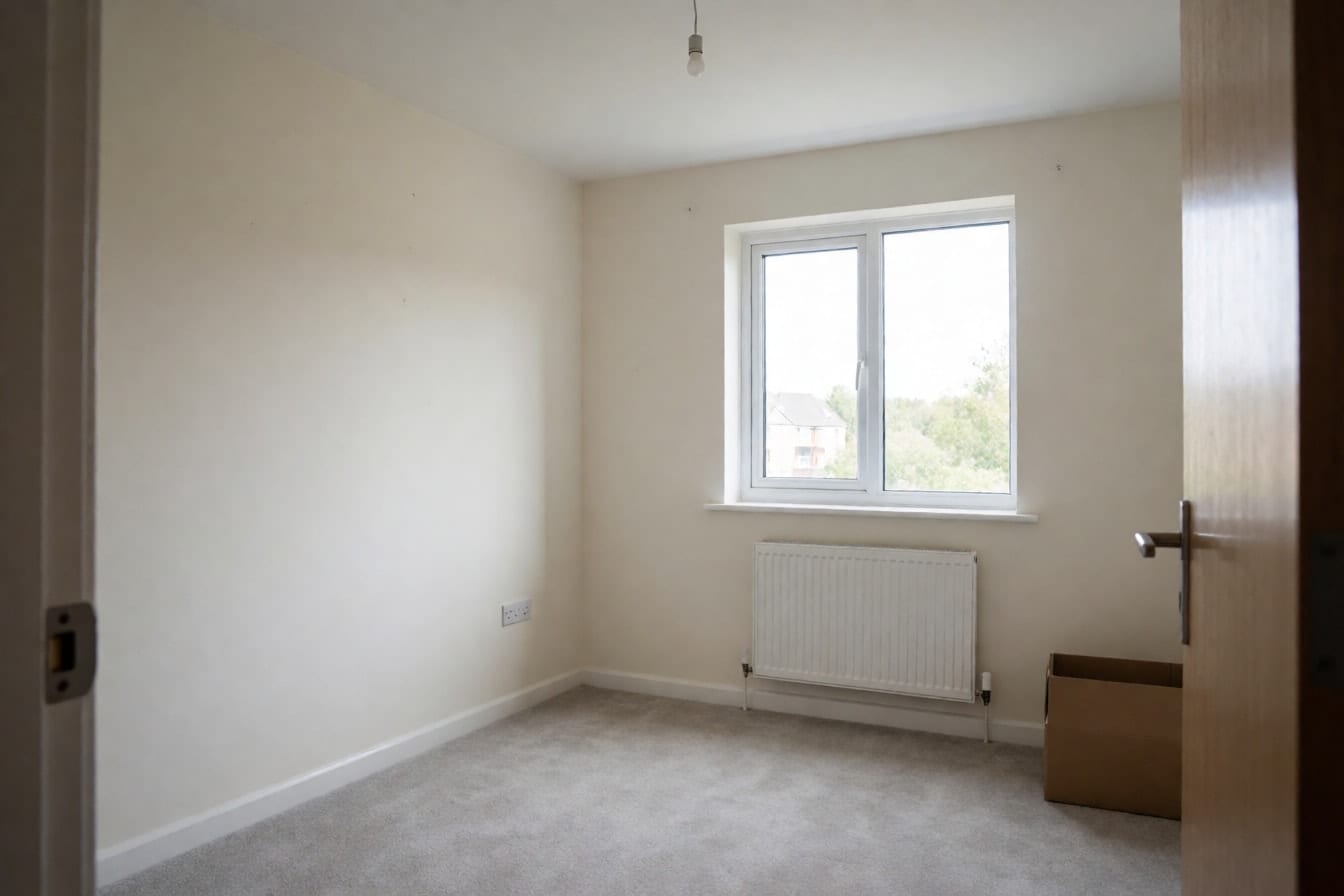
Photograph the room as it is
Shoot in daylight with the lights on, from a corner at about chest height, so most of the room fits in the frame. You don't need to tidy up first, and an empty room works just as well: the AI reads the walls, windows and floor, not the clutter.
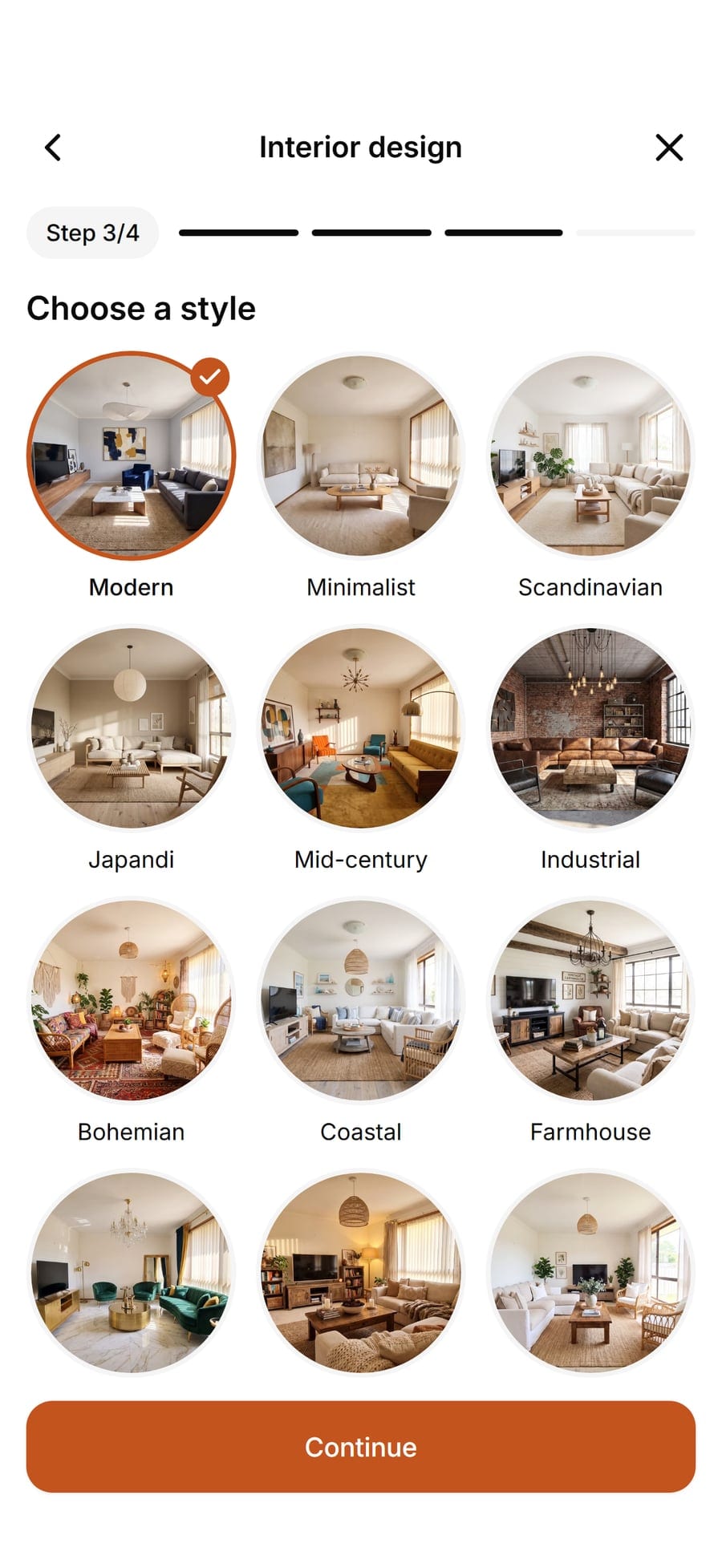
Choose what you want help with
For a full look, pick the room and one of 30 styles, then how far to go. Refresh keeps your furniture and changes the decor, Renovate follows your current layout closely, and Redesign takes more freedom. If you only want help with one thing, pick a single job instead: furnish an empty room, new walls, a new floor, a new layout or decorations for a holiday.
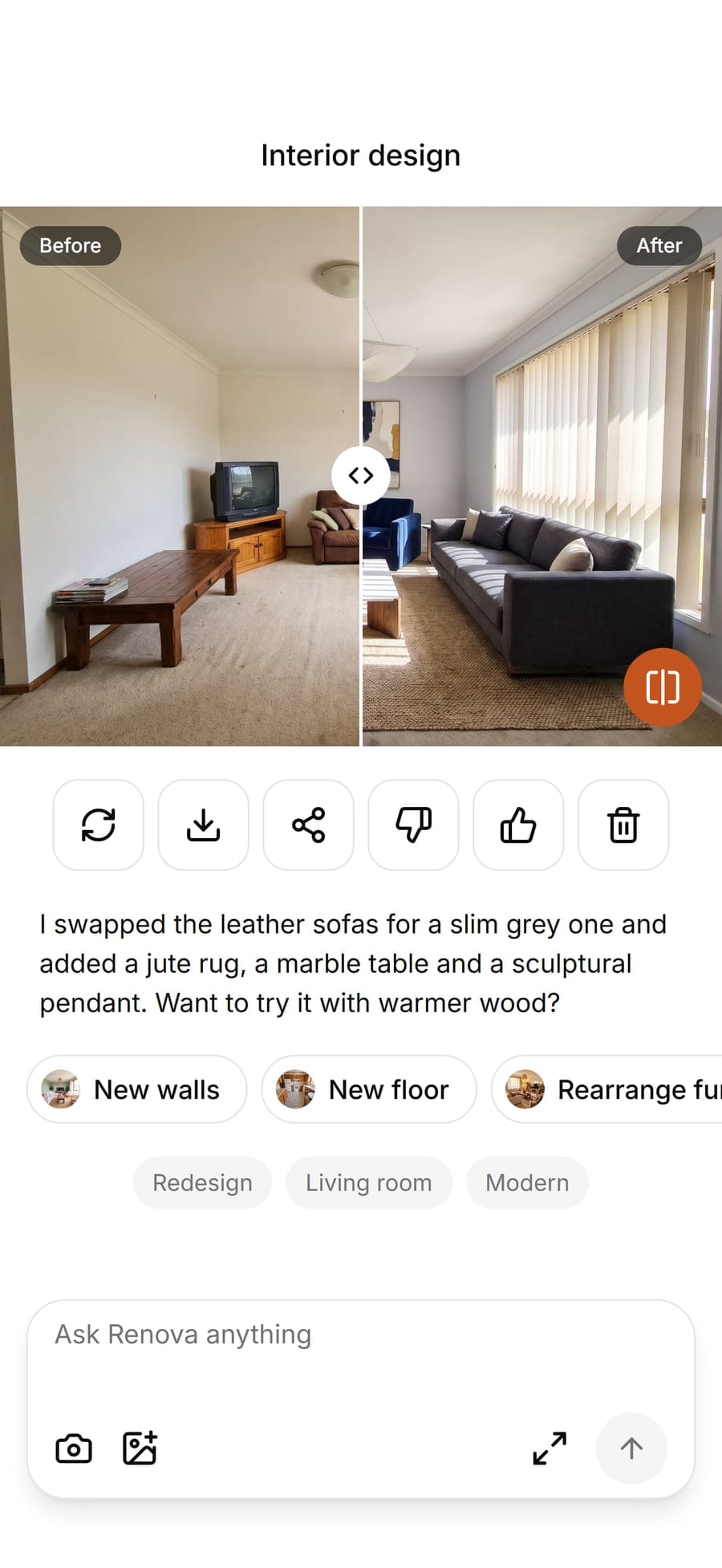
Compare, redo and keep decorating
Drag the slider to see before and after on the same photo. Not quite right? Tap Redo for another take on the same choices. When you like it, carry on from the result with a wall color, a floor or a palette, and save or share the one you want to show your partner or roommate.


Examples


Options
New walls
Changes only the walls: paint colors like Sage green, Greige or Navy blue, plus limewash, panel molding, wood slats and tiles. Pick it when you're standing in the paint aisle and can't decide, and see the color in your room before you buy a single quart.

New floor
Changes only the floor, from Light oak and herringbone to tile, marble and carpet. Pick it when a worn wall-to-wall carpet is the thing dragging a bedroom down and you want to see what hardwood or vinyl plank would do.
Rearrange furniture
Moves what you already own toward a goal, such as Cozy conversation (seats that face each other), More light (nothing blocking the windows) or Work corner. Pick it when the room feels awkward but the furniture itself is fine.

Christmas
Decorates the room for an occasion from the photo alone, with nothing to choose: a tree, garlands, lights and stockings. It's one of 15 themes, from Halloween and Autumn harvest to birthdays and New Year's Eve. Pick it to plan the mantel and the tree spot before the boxes come down from the attic, or browse more Christmas decoration ideas first.
Limits
The free plan makes 3 designs a day with every tool, style and theme, and its saved and shared images carry a small watermark. Pro raises that to 50 designs a day, removes the watermark and adds a design assistant you can chat with (100 messages a day). The app works in 32 languages.
What it does not do
Renova edits your photo; it does not measure your room, so sizes in the result are an impression, not a plan to buy to. It does not link to furniture you can buy, build a 3D model you can walk around or draw a floor plan to scale, and there are no human designers behind it. Some other decorating apps do those things well, and our side-by-side look at AI design tools says where. Every result is an AI-made picture to help you decide, not a photo of a finished room.
Questions and answers
Something else? Write to support@renovaroom.com.